
Are you a business owner staring at a Google Business Profile that feels more like a liability than an asset? Maybe it's flooded with negative reviews that are actively scaring customers away, or it’s an old listing causing confusion. This isn't just a technical problem; it's costing you real money and peace of mind.
You've poured your heart into your business, but now this rogue listing is holding your reputation hostage. You just want it gone, but Google makes it feel impossible. At Review Overhaul, we're the guide who can help you, the hero, clean up this mess and take back control of your online story.
Our simple 3-step process is designed to fix this exact problem. We'll help you either remove the damaging profile or overhaul your reputation so that your Google listing becomes your most powerful customer-acquisition tool once again. Success means a stellar online reputation that drives more sales and lets you focus on what you do best.
"Review Overhaul transformed our online presence. We went from stressing about bad reviews to seeing a steady stream of new, happy customers." – Local Business Owner
Don't let a bad listing continue to damage your business. The stakes are clear: continue losing customers and revenue, or choose growth and peace of mind.
Take the first step. Schedule your free consultation today! and let us show you how to fix this for good.
Why It Feels Like Your Google Business Listing Is Holding You Hostage
As a business owner, you've invested countless hours building your company. So when your digital storefront—that crucial Google Business Profile—starts to feel like a liability, it’s maddening.
Maybe you've closed up shop, rebranded, or you're being hammered by unfair negative reviews that are scaring people away. Whatever the reason, you just want it gone, but trying to remove it can feel like a maze designed to keep you trapped.
The Real-World Damage of a Rogue Listing
An unmanaged or unwanted profile is more than just a minor headache. It's a real problem that can directly tank your revenue.
Here’s how:
- It might show the wrong hours or an old address, sending potential customers on a wild goose chase.
- It could be showcasing old, damaging reviews that stop new customers from even considering you.
- It can create massive brand confusion if you’ve moved, rebranded, or have duplicate listings.
To really get why this is so critical, you have to understand how local SEO boosts online visibility. An inaccurate profile shatters that connection, making it nearly impossible for the right customers to find you.
Keeping Up with Google's Constant Changes
What makes this even trickier is that Google’s rules are always in flux. They've recently tightened their verification standards to clean up data for their AI-powered search results.
Now, something as simple as an incorrect detail can get you suspended almost instantly. This puts even more pressure on getting your profile management right from the start.
Think of it this way: Your Google Business Profile is the digital equivalent of having a broken, flickering sign hanging over your front door. It’s actively working against you.
Feeling cornered by your own online listing is a surprisingly common fight. Simple mistakes during setup can snowball into these major headaches. Take a look at our guide on common mistakes in GMB profile setup to see if any of those missteps are at the root of what you're dealing with.
How to Remove Your Google Business Profile
You need to get rid of a Google Business Profile. Before you dive in, it’s really important to understand the difference between "closing" your profile and completely "removing" it. They sound similar, but in Google’s world, they’re worlds apart.
Think of it this way: one option is like putting a "Closed" sign on your door, while the other is like tearing the building down. For a business owner, picking the wrong one can lead to serious digital headaches.
When to Close vs. When to Remove
The right move depends on your specific situation.
If you've retired, sold the business, or shut down for good, marking your profile as permanently closed is usually the way to go. Your profile will still show up, but it’ll clearly tell everyone you’re no longer in business.
On the other hand, if you're wrestling with a duplicate listing that’s confusing customers, a full removal is what you’re after. The same goes for a profile created by mistake for a location that never existed. If you're looking for more ways to keep your profile in top shape, you'll find great advice in our guide with essential tips for GMB optimization success.
This handy visual can help you map out your decision.
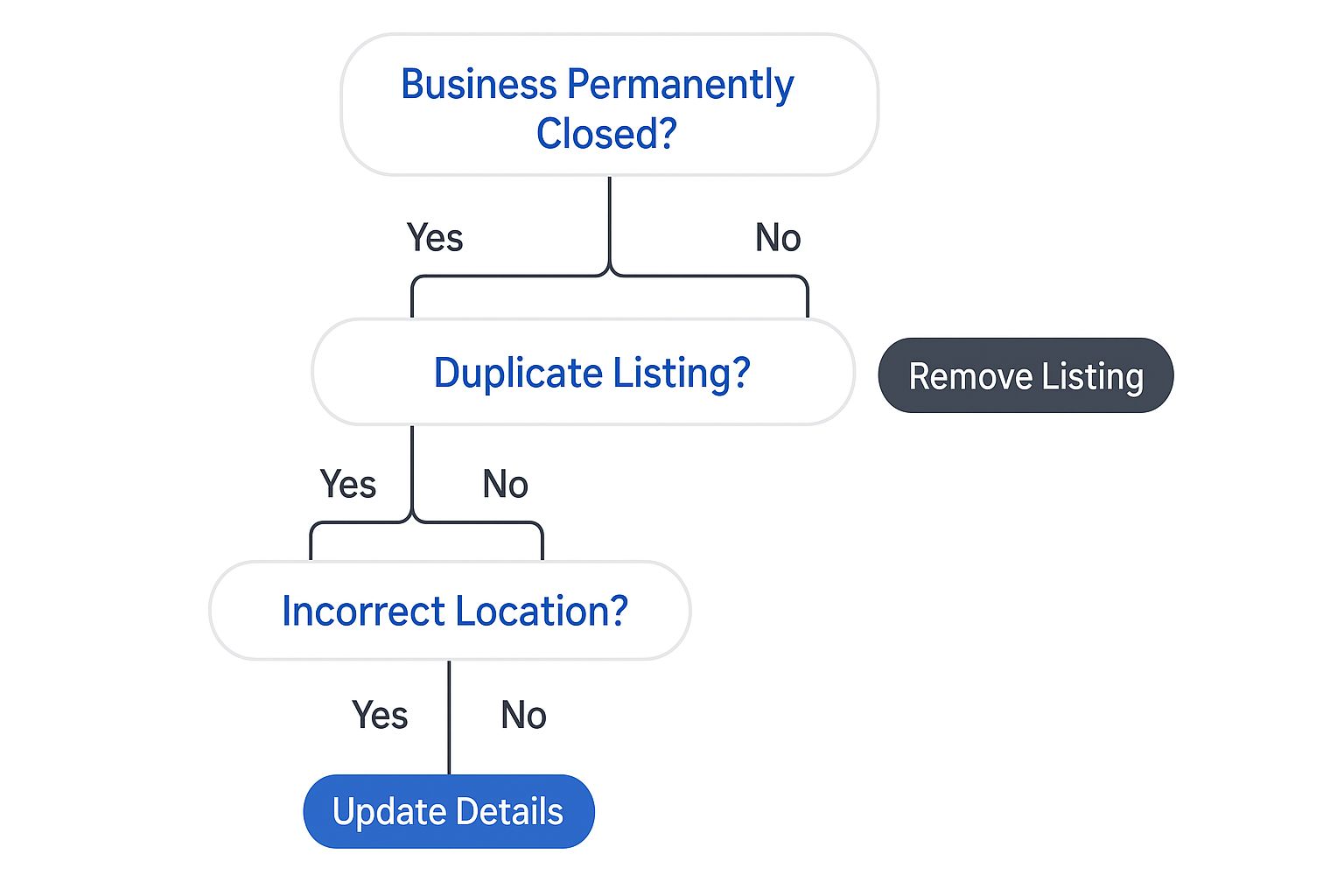
As you can see, a full-blown removal is really only for fixing specific errors. For most businesses that have simply stopped operating, a permanent closure is the standard and safest choice.
Closing vs Removing Your Google Business Profile
Let's get into the nitty-gritty of what happens with each option. This isn't just a click-of-a-button task; it's a strategic decision that affects how your business is remembered online.
| Action | What Happens to Your Profile | Best For This Scenario | Can You Reopen It |
|---|---|---|---|
| Mark as Temporarily Closed | A red banner shows up, telling customers you're just closed for now. Your rank is protected. | You're doing renovations, taking a long vacation, or dealing with a temporary shutdown. | Yes, you can flip the switch back to "Open" in your dashboard anytime. |
| Mark as Permanently Closed | Your profile stays online but gets a big "Permanently Closed" label. It will eventually lose ranking. | The business has shut its doors for good, but you want to keep the history (and reviews) visible. | No. This is a final move. You'd have to start over with a new profile. |
| Request Full Removal | The entire profile—reviews, photos, everything—is wiped from Google Maps and Search. | You're dealing with duplicate listings, a fake location, or a profile that violates Google's rules. | Absolutely not. This action is permanent and cannot be undone. |
Making the right choice here comes down to understanding the finality of each action.
The most critical thing to remember is that removal is permanent. If there's even a slight chance you might want to revive the business, marking it as "Permanently Closed" is the smarter, safer bet.
How to Remove a Listing You Already Own
It’s a great feeling to get your online presence in order. If you're the owner of a Google Business Profile and you're ready to take it down, the good news is you're already in the driver's seat.
This process is a clear-cut way to tell Google, "Hey, this listing isn't needed anymore." As the verified owner, you've got the authority to make it happen.
Finding the Right Settings in Your Dashboard
First things first, you've got to be signed into the right Google account. This is the number one hang-up I see—people trying to make changes from a personal account instead of the one with ownership permissions.
Make sure you have full ownership access. If you're just a "manager" on the profile, you won't see the option to remove the whole listing. Our guide on Google Business Profile verification can help clear things up.
Once you’re in your profile manager, you'll be looking for the settings shown in this screenshot.
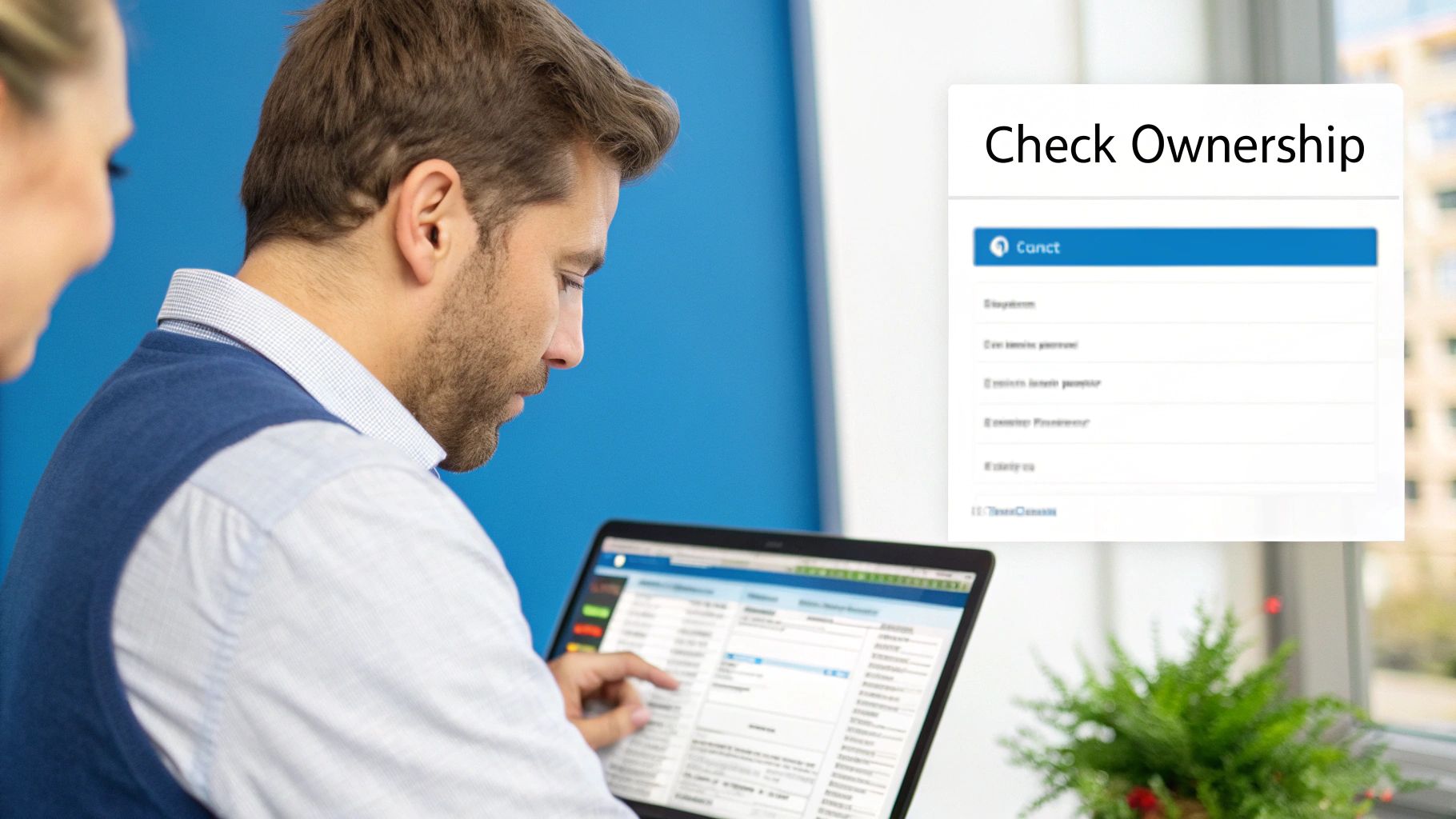
This is your destination. You'll head into "Business Profile settings" and then "Remove Business Profile" to get the ball rolling.
The Step-by-Step Removal Process
Once you're in the right menu, Google gives you a couple of choices. You’re not just flipping the sign to "Closed"—you're taking the entire profile off the map for good.
Here’s the path to get it done:
- Go to your profile: Sign into Google and navigate straight to your Business Profile.
- Click the three-dot menu: To the right of your business name, click the three vertical dots.
- Head into "Business Profile settings": This is where the main controls for your profile live.
- Select "Remove Business Profile": This click takes you to the final screen with big choices.
- Choose "Remove profile content and managers": This is the final, no-turning-back step.
Take a breath here and be absolutely sure. There is no undo button. Clicking that confirmation erases the profile’s entire history.
Remember, this is permanent. In a study on Google's moderation, researchers found that 77.19% of deleted reviews lingered for over 10 days. This shows that once Google’s system processes a deletion, that content is gone for good.
What Happens After You Click Remove?
After you confirm the removal, things typically move pretty quickly. I’ve seen profiles vanish from Google Search and Maps in just a few hours.
Don't panic if it's not instant. Sometimes it can take a day or two for the change to filter through all of Google's servers. The main thing is you've done your part.
Handling Listings You Don't Control
It’s one of the most frustrating things a business owner can discover: a Google Business Profile for your company that you have no control over.
Maybe a well-meaning customer created a duplicate, or an old profile is in the hands of a former employee. That lack of control feels like a direct threat to your online reputation.
These rogue listings can mislead customers with wrong hours or split your hard-earned reviews. It causes confusion and can genuinely cost you business, but you're not stuck.
Claiming an Unmanaged Profile
Sometimes, a listing for your business just exists out there, but no one has officially "owned" it. You need to claim it right away before someone else does.
Getting this done is pretty straightforward:
- First, pull up the listing on Google Maps and find a link that says "Own this business?"
- Click on that link. Google will then walk you through the steps to start the verification process.
- To prove you're the real owner, Google will need to verify you, usually with a postcard or phone call.
Once you complete this process, you’ll have full control to update your info and respond to every review.
Dealing With a Profile Owned by Someone Else
Okay, but what if the profile is already claimed by someone you can't reach? This is common with old marketing agencies or former employees.
You’ll have to formally request ownership. When you click that same "Own this business?" link, Google sends a notification to the current owner.
They have a few days to respond. If they deny your request or ignore it, you may need to appeal directly to Google with proof of ownership.
Pro Tip: Don't let an ownership dispute linger. If you have solid proof—like business registration documents or a utility bill—get it ready to send to Google Support.
When the Listing Just Needs to Go
If you’ve found a duplicate listing or a profile for a closed location you don't control, the best approach is to flag it. The easiest way is using the "Suggest an edit" feature.
Just find the incorrect listing on Google Maps and click "Suggest an edit." You'll see an option for "Close or remove."
From there, you can tell Google exactly what's wrong by choosing a reason like "Permanently closed," "Doesn't exist here," or "Duplicate of another place." Provide as much evidence as you can to help Google's team make a quick decision.
Life After Removal: Cleaning Up Your Digital Footprint
So, you did it. You successfully removed that unwanted Google Business Profile. That’s a huge win toward controlling your business's story online.
But the job isn't quite finished. Even after the main profile is gone, you might see ghosts of its past floating around online.
This happens because the internet is a massive echo chamber. Countless third-party sites scrape data from Google, and it can take a while for them to get the memo that your profile is gone.
Your Post-Removal Cleanup Checklist
Think of this as the final sweep after a big project. You’ve done the hard work, now it’s time to tidy up the last few details.
Here’s a simple checklist to get you started:
- Keep an Eye on Google Maps and Search: For the next few weeks, search for your old business name and address. If you spot any rogue results, use the "Suggest an edit" feature to report it.
- Check the Big Data Players: Don't forget platforms like Yelp, Bing Places, and Apple Maps. Run a quick search and update any outdated listings you find.
- Scrub Your Own Website: Make sure your website's contact page, footer, and any embedded maps are all showing correct, current information.
This process is about more than just deleting old info; it's part of a bigger strategy. Maintaining a clean digital footprint often requires ongoing effort, sometimes involving professional online reputation management services.
Why This Final Step Is So Important
Skipping this final cleanup can be risky. Between early 2023 and mid-2024, reports of Google Business Profile suspensions skyrocketed by over 80% worldwide.
A recent poll found that 61% of businesses hit with a suspension saw an immediate drop in leads and calls. You can learn more about GBP suspension trends on assetdigitalcom.com.
This isn't just about being neat. It's about protecting your business from future headaches and truly reclaiming your online identity.
This final cleanup is a crucial piece of the puzzle. For a deeper dive into rebuilding your online presence after a setback, be sure to check out our guide on the steps to restore your digital reputation.
Got Questions About Deleting a Google Listing? We've Got Answers

Making the call to remove your Google Business Profile is a big deal. It's natural to have questions swirling around about your business's digital footprint.
Let's walk through some of the most common things people worry about before taking such a final step.
What Happens to My Customer Reviews if I Delete My Listing?
This is probably the most critical point to understand: yes, removing your listing deletes everything. All those hard-earned customer reviews will be gone for good.
If you just need to signal that you've shut your doors, marking your business as 'Permanently Closed' is a much better route. A full removal wipes the slate completely clean.
How Long Does It Take for the Listing to Actually Disappear?
The timeline really hinges on one thing: who's making the request.
- If you're the verified owner, the change is often swift, though it can sometimes take a few hours.
- If you're just suggesting an edit for a profile you don't own, you'll need patience. The review process can take anywhere from a few days to several weeks.
Dealing with a profile you don't control requires a "wait and see" approach. An interesting analysis on localo.com found that 77.19% of deleted reviews were still visible for more than 10 days, which shows these things take time.
Can I Get My Listing Back After I Remove It?
In a word: no. This is a one-way street. A full removal is permanent and completely irreversible.
Once that profile and all the data attached to it are gone, neither you nor Google can bring it back.
Think of it as hitting the master delete button. If there's even a slight chance you might need that business history, mark the listing as 'Permanently Closed' instead.
Are you tired of wrestling with confusing listings or letting negative reviews define your business? The team at Review Overhaul can help you take back control of your online reputation. We'll clean up your digital footprint and make sure customers see the best version of you. Schedule your free consultation today!
